Bioreports
Monday, 14 Sep 2026
  • Home
  • POLITICS
  • SPORTS
  • HEALTH
  • BUSINESS
  • ENTERTAINMENT
    • Fashion
    • Fitness
    • Food
    • Travel
Newsletter
  • news
  • update
  • life style
  • tech
  • fitness
  • fashion
  • travel
  • food
BioreportsBioreports
Font ResizerAa
  • Home
  • Read History
  • Economy
  • Travel
  • Global Security
  • Global Affairs
  • World
  • Technology
  • Login
  • Blog
  • Contact
Search
  • Pages
    • Blog Index
    • Contact Us
    • Search Page
    • 404 Page
  • Pages
    • Home
    • Blog Index
    • Contact Us
    • Search Page
    • 404 Page
  • Pages
    • Home
    • Blog Index
    • Contact Us
    • Search Page
    • 404 Page
  • Personalized
    • Read History
  • Personalized
    • Read History
  • Personalized
    • Read History
  • Categories
    • Economy
    • Global Affairs
    • Technology
    • Travel
    • Global Security
  • Categories
    • Economy
    • Global Affairs
    • Technology
    • Travel
    • Global Security
  • Categories
    • Economy
    • Global Affairs
    • Technology
    • Travel
    • Global Security
Have an existing account? Sign In
Follow US
© 2026 Foxiz News Network. Ruby Design Company. All Rights Reserved.
Gadgets

Your Phone Can Use Android Auto Without A Car – Here’s How (And Why You Should)

admin
Last updated: September 13, 2026 11:07 pm
By
admin
Share
6 Min Read
Your Phone Can Use Android Auto Without A Car – Here’s How (And Why You Should)
SHARE

Close up of an Android Auto icon on a display.

Topuria Design/Shutterstock

The conventional way to use Android Auto is while you’re driving, as it removes distractions and gives you access to several hands-free apps and services. It is called Android Auto, after all. But that minimalist experience is useful outside your vehicle, too. You can actually deploy the Android Auto system from just about anywhere, no car needed. However, you will need a certain app and two separate devices. You designate one device as a receiver, which works like a head unit or the in-dash display in your car, and the other as the transmitter, broadcasting to the first.

Your next question is probably why? I’ll pose a better one: why not? With everything set up, you have a convenient distraction-free dashboard for your workspace. The display stays on, showing you notifications and alerts at a glance; meanwhile, the usual offenders that would distract you, like social media apps, games, and web browsers, cannot be used in Android Auto mode. You retain access to music apps, local weather info, messaging tools, and other resources, such as Gemini, for quick queries.

How do you set it all up? Here’s the easiest way. Choose one of two apps: either Open Headunit ($3.99), previously Headunit Revived, or Headunit Reloaded ($4.99). Purchase your app of choice and install it on the device you want to use as a display — like an old tablet you can now use as a head unit. Link the two devices with a USB OTG cable and grant the appropriate permissions on your phone or transmitting device. On the display and in your app, find and select the USB connection and make sure your phone is selected. Android Auto should start.

You can also connect your devices wirelessly

Someone using their tablet at a workspace with the screen on.

Peopleimages/Getty Images

If you don’t have an OTG cable, or don’t like messy wires between devices, both Open Headunit and Headunit Reloaded support wireless connections on select compatible devices. Per the Open Headunit GitHub, you can actually use the app to connect your two devices wirelessly using one of several methods. You can use a wireless Android Auto dongle, connect natively via Wi-Fi P2P, or use a third-party app called Wireless Helper. You can also do something similar with Wi-Fi Launcher and Headunit Reloaded.

If you don’t have two devices, you can use the Android Auto developer server, basically broadcasting a self-hosted server, to run Android Auto from and on the same device. Your display would be running Android Auto directly, with nothing else connected. I have not used this method personally and cannot attest to how well it works or what kind of hardware you’d need for it. Presumably, you wouldn’t want to use the self-host method for a much older, outdated tablet or phone because it may run into performance issues. 

Then again, if you have a device lying around, it doesn’t hurt to give it a shot. Some of the best ways to repurpose your old Android phone or devices are to simply incorporate them in new ways, like using them as a remote, turning them into an extra display, or using them as a desktop Android Auto screen.

Don’t be afraid to think outside the box
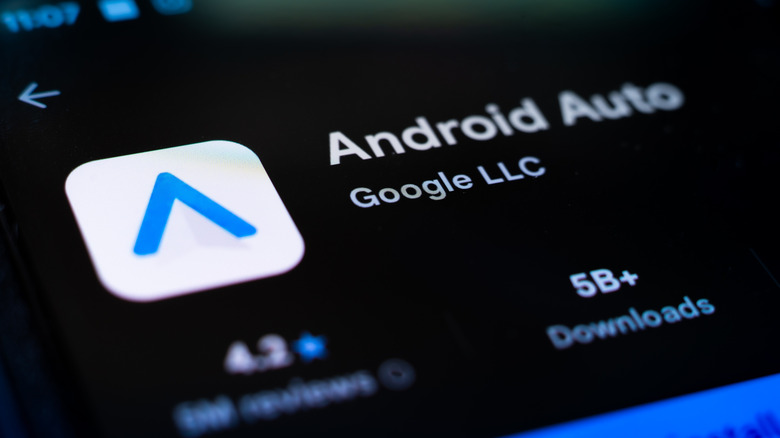
Android Auto app page in the Google Play store on phone screen.

PJ McDonnell/Shutterstock

The common use cases for Android Auto at your desktop or workspace are pretty much what you’d expect, like reading or replying to text messages, checking mobile notifications, local weather alerts, and listening to music, podcasts, or audiobooks, without the added distractions. The same features that make long drives easier should also make long days easier. You can have your messages read aloud, do quick web searches for research, and even access your smart home apps or controls—Google Home, too. You could set things up to be hands-free while cooking, cleaning, doing some DIY projects at home or at a workbench, or as a secondary screen anywhere, maybe bedside while you’re relaxing? You can also set up an old phone, tablet, or any compatible device in new and interesting ways. Imagine propping it up with a stand, mounting it to a nearby wall or surface, or simply attaching it to the edge of a table or desk.

Sure, there are some essential apps to help you stop procrastinating that you can install instead, and they don’t require multiple devices. But arguably, nothing is as cool as having a standalone touchscreen dashboard to interact with. The biggest advantage of using two screens, versus one, is that it’s hardware agnostic, and you can use virtually any device. As long as your old device runs the head unit apps, it doesn’t matter if it has a slow processor or limited RAM; it’s merely working as a remote display. The Android Auto instance is running on your phone or another core device. Therefore, it’s a solid way to breathe new life into old Android gadgets that have been sitting around collecting dust.


Share This Article
Email Copy Link Print
Previous Article This Hidden iPhone Feature Lets You Use Your Eyes Like A Mouse Pointer This Hidden iPhone Feature Lets You Use Your Eyes Like A Mouse Pointer
Next Article 6 Unique Gaming Consoles Released Only In China 6 Unique Gaming Consoles Released Only In China
Leave a Comment

Leave a ReplyCancel reply

FacebookLike
XFollow
InstagramFollow
LinkedInFollow
MediumFollow
RSS FeedFollow
Most Read
Fannie Mae let go of 12 executives this week

Fannie Mae let go of 12 executives this week

I spent an afternoon in NYC’s richest zip code, where celebs live in a ‘paparazzi-proof’ building and the average income is $879,000. Here’s what the trendy neighborhood looks like.

I spent an afternoon in NYC’s richest zip code, where celebs live in a ‘paparazzi-proof’ building and the average income is $879,000. Here’s what the trendy neighborhood looks like.

TikTok settles children’s privacy suit with DOJ for $400 million

TikTok settles children’s privacy suit with DOJ for $400 million

‘This is not a novel concept’: FEC chair brings the hammer down on foreign influence after Trump’s widely panned interview on the same topic

‘This is not a novel concept’: FEC chair brings the hammer down on foreign influence after Trump’s widely panned interview on the same topic

Anthropic $2T valuation gets a reality check

Anthropic $2T valuation gets a reality check

Microsoft has been rated the most environmentally friendly company. Here’s what it’s doing right.

Microsoft has been rated the most environmentally friendly company. Here’s what it’s doing right.

‘The young will gather again’: CJP to march from India Gate to Delhi Police HQ on Sept 5 over Centre’s ‘betrayal’

‘The young will gather again’: CJP to march from India Gate to Delhi Police HQ on Sept 5 over Centre’s ‘betrayal’

The creator of ‘Pokémon Go’ is suing an ‘association of hackers’ that it says helps players cheat at its games

The creator of ‘Pokémon Go’ is suing an ‘association of hackers’ that it says helps players cheat at its games

Bitcoin tops $80,000, solana jumps 8% but rally now runs into overbought warning

Bitcoin tops $80,000, solana jumps 8% but rally now runs into overbought warning

Trump accuses The New York Times of ‘a virtual act of Treason’ for publishing a story saying the US is ramping up cyberattacks on Russia

Trump accuses The New York Times of ‘a virtual act of Treason’ for publishing a story saying the US is ramping up cyberattacks on Russia

Related News
5 ESP32 projects that make everyday routines feel a little more magical
Gadgets

5 ESP32 projects that make everyday routines feel a little more magical

Ancient armored fish evolved two distinct ways to crush prey 385 million years ago
Gadgets

Ancient armored fish evolved two distinct ways to crush prey 385 million years ago

4 reasons my cheap Android TV box will outlast your Fire TV Stick
Gadgets

4 reasons my cheap Android TV box will outlast your Fire TV Stick

Your old Fire TV Stick is secretly a smart speaker—here’s how to turn it into one without connecting to a TV
Gadgets

Your old Fire TV Stick is secretly a smart speaker—here’s how to turn it into one without connecting to a TV

AI could make holiday planning easier for overwhelmed travelers
Gadgets

AI could make holiday planning easier for overwhelmed travelers

  • Quick Links:
  • SPORTS
  • Business
  • Gadgets
  • HEALTH
  • NEWS
  • ENTERTAINMENT
  • Virtual Reality
  • America News
  • Travel
  • WORLD NEWS
  • News World
  • Global Affairs
  • POLITICS
  • Africa News
  • Tech
Bioreports
Information You Can Trust: Stay instantly connected with breaking stories and live updates. From politics and technology to entertainment and beyond, we provide real-time coverage you can rely on, making us your dependable source for 24/7 news.
Quick Links
  • Read History
  • Economy
  • Travel
  • Global Security
  • Global Affairs
  • World
  • Technology

© Bioreports News Network. . All Rights Reserved.