Say “Hey Siri” when using an iPad, and Apple’s virtual assistant will take over the entire display, obscuring whatever you were doing on the device. Say the same thing to your Mac, however, and
Siri
responds in a more multitasking-friendly way by appearing in a small window in the corner of the screen, allowing you to drag and drop retrieved items from it.
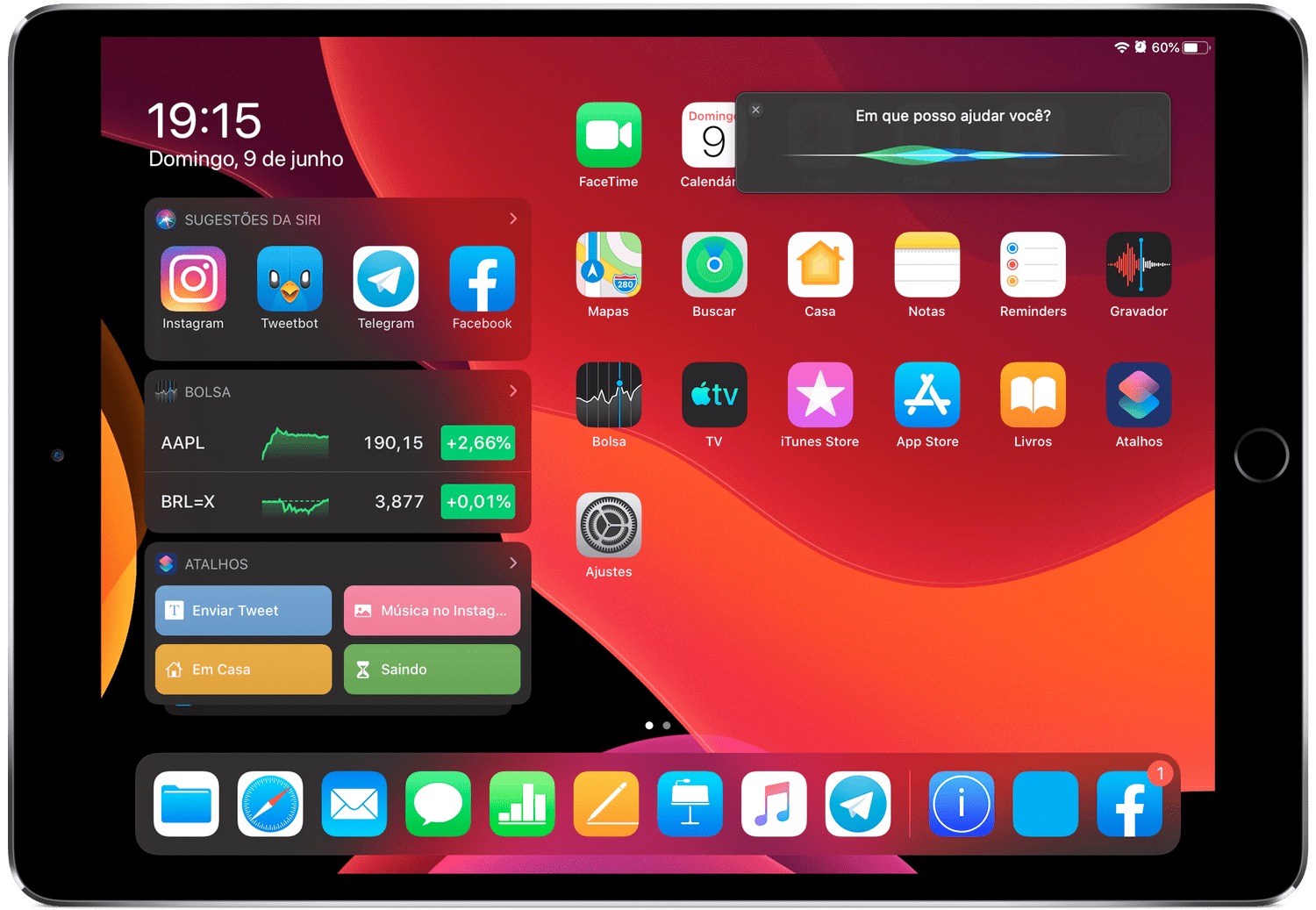
This less disruptive, more functional implementation of
Siri
in macOS may well be coming to
iPad
, although it’s unlikely to appear in the first version of iPadOS, which is due to be released this fall. The possibility was hinted at by Craig Federighi, Apple’s VP of software engineering, in response to an email sent to him by Apple user Juliano Rossi.
Responding to Rossi’s request that
Siri
on
iPadOS
behaves like on the Mac, without filling the entire screen, Federighi wrote:
“Hi Juliano,
Thanks for the note. Really glad that you enjoyed the keynote.
What you describe is certainly valid feedback. Unfortunately, it’s not something we can add in at the last minute, but we will certainly consider it for the future.
Thanks for caring!
– craig”
Craig replied me back! 😳
The mail was about my request forSiri
on
iPad
to behave like on the Mac, without filling the entire screen.
Well, maybe next year. pic.twitter.com/7xIgxDB7hf
— Juliano Rossi (@_JulianoRossi) June 9, 2019
As Federighi’s response suggests, adding this less intrusive
Siri
behavior would require some significant changes to the OS, so it’s not something that could be included at this late stage in software testing. But as Portuguese tech blog iHelp BR notes, it’s at least good to know that Apple is aware of the legitimate request, which would bring
iPadOS
even closer to the macOS experience.
Apple often considers user feedback, but sometimes takes a while to act on it. For instance, the company eventually responded to multiple user requests that it change the volume level indicator in iOS. When pressing the volume buttons on iPhone or
iPad
running iOS 12 or earlier, the volume indicator displays in the center of the screen, obscuring content. As of iOS 13, coming this fall, the indicator is smaller and appears at the side of the display in a less intrusive manner.
Unveiled last week during Apple’s WWDC keynote,
iPadOS
is designed to bring more desktop-class functionality to iPads with bigger screens.
iPadOS
will incorporate several features that recognize the tablet’s function as a potential computer replacement, including a new Home screen, an updated Split View to enhance multitasking, and improved Apple Pencil support.