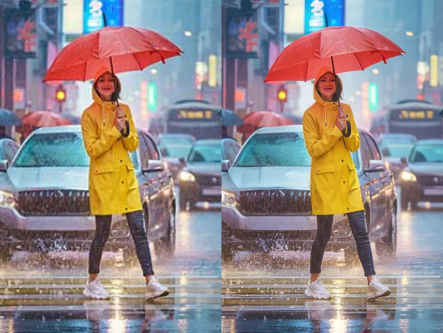
For photographers and retouchers, the moment a client asks for a large-format print from a file that was never shot at that resolution is a familiar kind of dread. The usual options are limited: reshoot at real cost and time, or export to a third-party upscaler and hope it treats skin texture, fabric, and fine product detail the way a photographic eye would. Adobe Firefly’s Upscale Image feature is built to remove that dilemma entirely by putting AI-powered resolution enhancement directly inside Photoshop and Lightroom.
The problem with upscaling outside your workflow
Most upscaling today happens the hard way: export the file, run it through a separate tool, then re-import it back into your existing edit. Every step is a chance to lose color fidelity, introduce compression artifacts, or simply eat up time you don’t have on a deadline. Worse, most consumer upscalers are trained on general images, not photographic content specifically—meaning skin texture, fabric weave, and fine product detail can degrade or smooth over in ways a trained eye catches immediately. And when the file belongs to a client, running it through a third-party tool raises its own rights questions that many photographers would rather avoid altogether.
Firefly’s Upscale Image addresses each of these directly by keeping the entire process inside the tools you’re already using.
Adobe
Built into the workflow, not bolted onto it
The core value here isn’t just that Firefly can upscale an image well—it’s that it does so without ever leaving Photoshop or Lightroom. There’s no plugin to install, no file to export and reimport, no interruption to the edit you’re already mid-way through. Upscaling becomes another native step in your process, the same way sharpening or color correction already is.
That matters more than it might sound. For photographers delivering high volumes of client work, every extra tool in a workflow is a place where time, quality, or consistency can slip. Removing that step doesn’t just save minutes—it removes a point of friction that compounds across every large-format order.

Adobe
Trained for photography, not just images in general
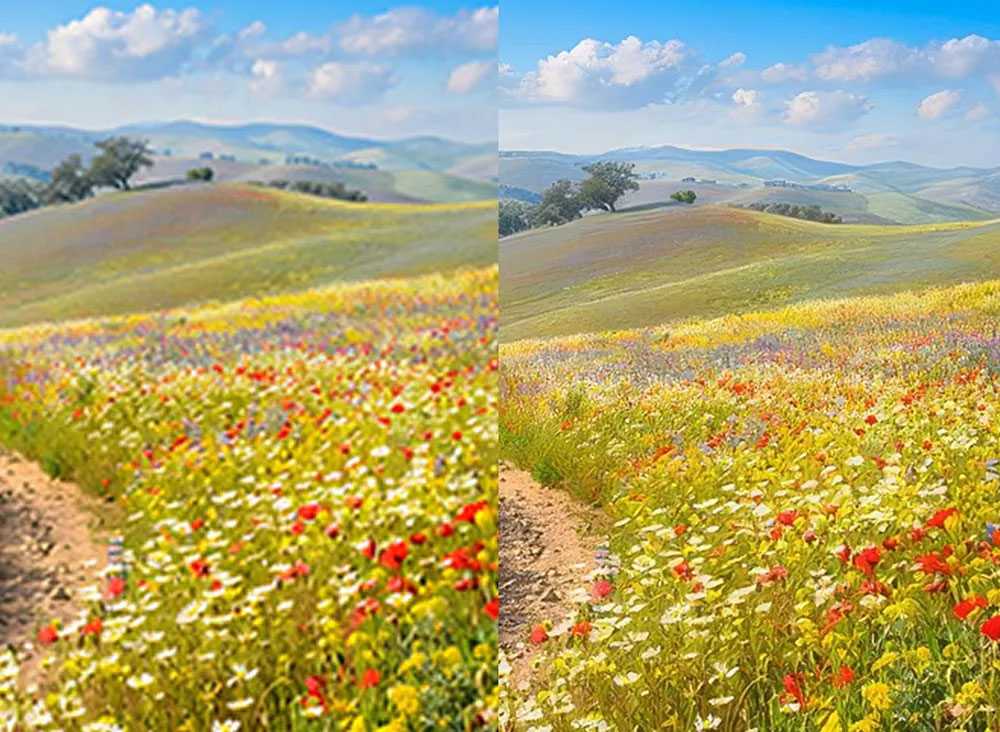
Firefly’s upscaling model is optimized specifically for photographic content, which shows in how it handles the details that matter most to working photographers: skin texture in portraits, fabric detail in fashion or product work, and background sharpness that holds up rather than smoothing into mush. The result is enlargement that preserves edge detail, texture, and tonal information well enough to hold up at actual print resolution—not just on a screen, where flaws are easier to hide.
This makes it viable for the kind of work that used to require a reshoot: a client requesting a larger format than the original file supports, a low-resolution logo that needs clean edges for a design deliverable, or an old scanned photograph that needs new life for a modern project.

Adobe
Rights clarity that doesn’t slow you down
For photographers doing client or commercial work, the question of who owns what after AI processing isn’t trivial. Firefly’s upscaled output is covered by Adobe’s standard IP policies, so there’s no additional rights research required before delivering an upscaled image to a client—one less thing to check before an invoice goes out.

Adobe
What it means for your day-to-day
If you’re already on Creative Cloud with Photoshop or Lightroom, Upscale Image is available with a single click, enlarging images by 2x or 4x within the same session you’re already working in. It’s included with relevant Creative Cloud plans, with generative credits applying, and even free Adobe account holders get daily generations to try it. For a workflow that’s currently held together with third-party plugins or the occasional expensive reshoot, that’s a meaningful simplification—one that’s worth testing directly inside the tools you already trust.