Bioreports
Wednesday, 9 Sep 2026
  • Home
  • POLITICS
  • SPORTS
  • HEALTH
  • BUSINESS
  • ENTERTAINMENT
    • Fashion
    • Fitness
    • Food
    • Travel
Newsletter
  • news
  • update
  • life style
  • tech
  • fitness
  • fashion
  • travel
  • food
BioreportsBioreports
Font ResizerAa
  • Home
  • Read History
  • Economy
  • Travel
  • Global Security
  • Global Affairs
  • World
  • Technology
  • Login
  • Blog
  • Contact
Search
  • Pages
    • Blog Index
    • Contact Us
    • Search Page
    • 404 Page
  • Pages
    • Home
    • Blog Index
    • Contact Us
    • Search Page
    • 404 Page
  • Pages
    • Home
    • Blog Index
    • Contact Us
    • Search Page
    • 404 Page
  • Personalized
    • Read History
  • Personalized
    • Read History
  • Personalized
    • Read History
  • Categories
    • Economy
    • Global Affairs
    • Technology
    • Travel
    • Global Security
  • Categories
    • Economy
    • Global Affairs
    • Technology
    • Travel
    • Global Security
  • Categories
    • Economy
    • Global Affairs
    • Technology
    • Travel
    • Global Security
Have an existing account? Sign In
Follow US
© 2026 Foxiz News Network. Ruby Design Company. All Rights Reserved.
Gadgets

You Can Share Your Google Nest Camera Live Feed With Anyone — Here’s How

admin
Last updated: September 8, 2026 11:08 pm
By
admin
Share
6 Min Read
You Can Share Your Google Nest Camera Live Feed With Anyone — Here’s How
SHARE

grandparents viewing camera feed on tablet

Rido/Shutterstock

Smart security cameras offer incredible peace of mind, and Nest-branded options are among the best Google smart home gadgets worth buying. But granting friends or family access to a live feed (to your baby’s crib cam, for example) can get complicated. Why? Because Google currently divides its Nest cameras into two distinct categories: those that can use the legacy Nest app, and models managed through Google Home. You’ll need to figure out which you own before you can share a video stream.

For newer hardware released in 2021 or later, like the battery-powered Nest Cam or the latest Nest Doorbell, camera management lives strictly inside the Google Home app. Google made these gadgets prioritize broad smart home integration over simple web sharing, meaning they don’t let you send out a link like the older models do. Instead, you’ll need to invite a person to become a full-on member of your digital Google Home household in order for them to view a feed.

To add a user, open the Google Home app, tap the profile pic or initial in the top-right corner, then select Home Settings. Beneath your home’s name and address on the following page, tap the plus button (+), then enter an email address on the “Invite a person” page. Tap Next, then choose whether you want the person to be a standard home “Member” or an “Admin” (likely the former). Once your invitee downloads the app and accepts your invitation, they gain instant access to the camera feed. That’s fine and all, but it comes at the cost of them also having access to all your other camera feeds and connected smart home devices, from lights to locks. Link sharing is the less chaotic option here. Either way, make sure you only invite people you trust.

How to generate a web link for older Nest camera models
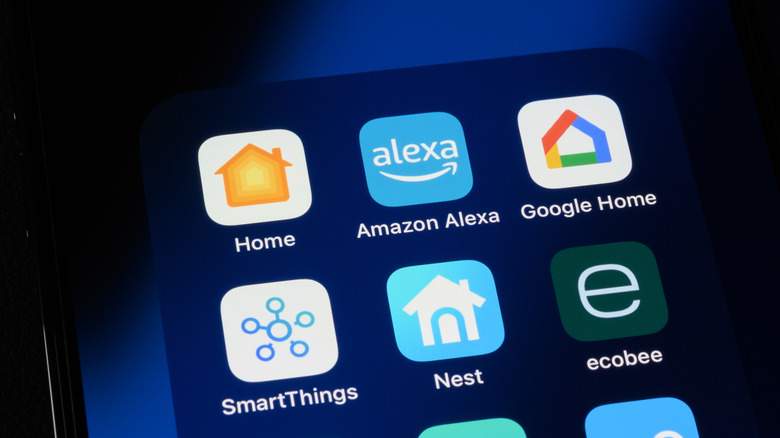
smartphone with smart home apps

Kenneth Cheung/Getty Images

Users holding on to older-gen hardware managed through the original Nest app (even though Google discontinued its Nest brand) have a huge advantage when it comes to quickly sharing a feed. These legacy devices support an ultra-fast web link feature that doesn’t require your viewer to have to download an app or create an account; this is far less intrusive for you, and easier for viewers. With this method, a camera’s live stream can be broadcast directly to any web browser, making it a cinch to let a neighbor monitor your backyard while you’re on vacation without stressing about access issues.

To set up a broadcast link, you’ll need to use a laptop or desktop computer, as Google restricts these specific privacy settings from being accessed on a phone or tablet. Head over to the official Nest web portal at home.nest.com and sign into your account. Once you get logged in, select the specific camera feed you want to share, and then click the gear icon in the top-right corner to open the configuration menu.

Selecting the Camera sharing option reveals the broadcast controls, offering choices for both password-protected and public feeds. The password-protected route is recommended, as it’s far safer. Once you’ve created this new password, the portal generates a secure URL you can then share; as many as 10 viewers at a time can watch your stream.

Taking privacy precautions, auditing, and revoking access

person using laptop in bright room

Sorapop Udomsri/Shutterstock

Opening up a private camera feed to the outside world carries a variety of security risks, making some privacy precautions non-negotiable. Again, the best advice is to skip the public sharing option if you can; public links don’t have any authentication measures, so anyone who has the URL can watch your feed. A strong, unique password is a must (take note of password myths you should stop believing immediately), and definitely make sure it doesn’t match the one you use for your Google Nest account.

Another thing to keep in mind is that Google doesn’t offer any sort of viewer dashboard, even though it should since it offers a web sharing link (and definitely has the technical capacity for such a feature). That’d make it much easier to know who is watching the feed at any given time. But without a definitive list of active viewers, it’s up to you to guard that URL. It might be a good idea to refresh it occasionally if long-term feed sharing is needed. Thankfully, cutting off access is a fast process if you do need to.

To permanently sever the connection, jump back into the Camera sharing menu on the desktop portal and click the Stop sharing camera option. This instantly kills the URL for everyone. Alternatively, changing the password would also generate a new link and kick all current viewers off the stream until they re-authenticate; that’s a handy way to boot unauthorized viewers while still keeping the camera live for everyone else. While this process could be a little more streamlined overall, sharing your Google Nest camera live feeds is still pretty easy.


Share This Article
Email Copy Link Print
Previous Article This Free App Is Essential If You Use Logitech Accessories This Free App Is Essential If You Use Logitech Accessories
Next Article Astrophotographer captures jaw-dropping view of the Crescent Nebula Astrophotographer captures jaw-dropping view of the Crescent Nebula
Leave a Comment

Leave a ReplyCancel reply

FacebookLike
XFollow
InstagramFollow
LinkedInFollow
MediumFollow
RSS FeedFollow
Most Read
Enbridge Pauses Construction of $1B Pipeline in Wisconsin

Enbridge Pauses Construction of $1B Pipeline in Wisconsin

The first big clue about how Amazon plans to upend the US healthcare system with PillPack just dropped

The first big clue about how Amazon plans to upend the US healthcare system with PillPack just dropped

Bitcoin Power Law 2026–2030: When Will BTC Permanently Clear $100,000?

Bitcoin Power Law 2026–2030: When Will BTC Permanently Clear $100,000?

Meteoric Bitcoin Price Breaks 2019 High as Investors Paint $15,000 FOMO Target

Meteoric Bitcoin Price Breaks 2019 High as Investors Paint $15,000 FOMO Target

‘What a fool I was’: Reported scams reach record high of $15.9 billion, and estimates reach upwards of $500 billion annually

‘What a fool I was’: Reported scams reach record high of $15.9 billion, and estimates reach upwards of $500 billion annually

Workers at Tesla’s Buffalo solar tile factory say the company sabotaged their efforts to find new jobs after trying to unionize

Workers at Tesla’s Buffalo solar tile factory say the company sabotaged their efforts to find new jobs after trying to unionize

Goodles Is Getting Acquired by Barilla. Co-Founder Jen Zeszut Has a Message for Skeptical Customers

Goodles Is Getting Acquired by Barilla. Co-Founder Jen Zeszut Has a Message for Skeptical Customers

Crypto Hackers Have Targeted 20% of Users on Bitcoin Exchanges: Kaspersky

Crypto Hackers Have Targeted 20% of Users on Bitcoin Exchanges: Kaspersky

‘Please don’t let this happen to you’: My best friend died without a will — her neglectful family gets everything

‘Please don’t let this happen to you’: My best friend died without a will — her neglectful family gets everything

Meet the man behind TikTok’s most surprising breakout success

Meet the man behind TikTok’s most surprising breakout success

Related News
Big supernova dataset challenges dark energy theory
Gadgets

Big supernova dataset challenges dark energy theory

Distracted dog walkers may be putting wildlife and livestock at risk, study finds
Gadgets

Distracted dog walkers may be putting wildlife and livestock at risk, study finds

I never thought I’d use Samsung’s stock home screen, but this plug-in made me stick with it
Gadgets

I never thought I’d use Samsung’s stock home screen, but this plug-in made me stick with it

New screening system flags food-packaging chemicals linked to serious health risks
Gadgets

New screening system flags food-packaging chemicals linked to serious health risks

3 easy Windows 11 commands every PC user should know
Gadgets

3 easy Windows 11 commands every PC user should know

  • Quick Links:
  • SPORTS
  • Business
  • Gadgets
  • HEALTH
  • NEWS
  • ENTERTAINMENT
  • Virtual Reality
  • America News
  • WORLD NEWS
  • Travel
  • News World
  • Global Affairs
  • POLITICS
  • Africa News
  • Tech
Bioreports
Information You Can Trust: Stay instantly connected with breaking stories and live updates. From politics and technology to entertainment and beyond, we provide real-time coverage you can rely on, making us your dependable source for 24/7 news.
Quick Links
  • Read History
  • Economy
  • Travel
  • Global Security
  • Global Affairs
  • World
  • Technology

© Bioreports News Network. . All Rights Reserved.