

Bioreports
Wednesday, 29 Jul 2026
  • Home
  • POLITICS
  • SPORTS
  • HEALTH
  • BUSINESS
  • ENTERTAINMENT
    • Fashion
    • Fitness
    • Food
    • Travel
Newsletter
  • news
  • update
  • life style
  • tech
  • fitness
  • fashion
  • travel
  • food
BioreportsBioreports
Font ResizerAa
  • Home
  • Read History
  • Economy
  • Travel
  • Global Security
  • Global Affairs
  • World
  • Technology
  • Login
  • Blog
  • Contact
Search
  • Pages
    • Blog Index
    • Contact Us
    • Search Page
    • 404 Page
  • Pages
    • Home
    • Blog Index
    • Contact Us
    • Search Page
    • 404 Page
  • Pages
    • Home
    • Blog Index
    • Contact Us
    • Search Page
    • 404 Page
  • Personalized
    • Read History
  • Personalized
    • Read History
  • Personalized
    • Read History
  • Categories
    • Economy
    • Global Affairs
    • Technology
    • Travel
    • Global Security
  • Categories
    • Economy
    • Global Affairs
    • Technology
    • Travel
    • Global Security
  • Categories
    • Economy
    • Global Affairs
    • Technology
    • Travel
    • Global Security
Have an existing account? Sign In
Follow US
© 2026 Foxiz News Network. Ruby Design Company. All Rights Reserved.
Gadgets

Is It Safe To Use Your Laptop To Charge Your Phone?

admin
Last updated: July 29, 2026 8:34 am
By
admin
Share
4 Min Read
Is It Safe To Use Your Laptop To Charge Your Phone?
SHARE

Close-up of a person pluggin a USB cable into a phone for charging with a laptop on their desk

Pixel-Shot/Shutterstock

There are many ways to charge your phone. You can use a wall adapter, a wireless charger, or even a power bank to juice up its battery when needed. However, there are times when you have access to none of these options, and you are left with just your laptop. Fortunately, your laptop’s USB ports can transfer power to other devices, including to your phone. While it not seem like the best way to top up your phone battery, charging via your laptop’s USB ports is perfectly safe. In fact, some USB-C ports are capable of delivering up to 240 W.

USB, which stands for Universal Serial Bus, typically comes in two shapes: Type-A, the rectangle connector, or Type-C, an oval connector. Older USB ports carry only as much as 5 V; newer ones, which support Power Delivery (PD) can go much higher, up to 48 V. 

To keep things safe, the power doesn’t start flowing automatically to your phone when you plug it in. Instead, both devices negotiate a safe power draw, and only that is delivered to your phone. All the negotiation is handled by your phone’s power management integrated circuit (PMIC). This is the technology that ensures your phone charges efficiently and safely when you connect your phone to a laptop or to a high-powered wall adapter.

However, there is one big caveat in charging your phone from a laptop. The USB ports on laptops are typically designed to deliver a limited amount of power, which means your phone will charge slowly, and can take hours to juice up completely. Also, the laws of physics mean that some energy will be used up and dispersed as it moves from one device to another.

How fast will a laptop charge your phone?
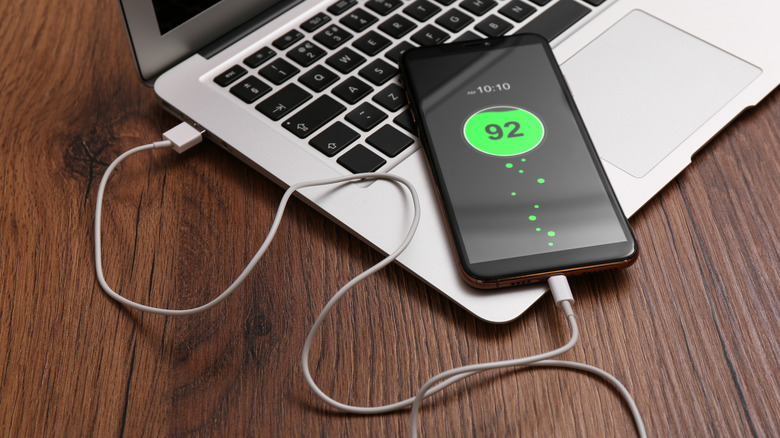
A phone connected to a laptop for charging on a wooden table

New Africa/Shutterstock

When you charge your phone using your laptop, the charging speed largely depends on the capabilities of the USB port. USB Type-A ports with USB 2.0 support will give you 2.5 W. If you have a USB 3.0 or newer-generation Type-A port, that amount rises to 4.5 W. While some dedicated charging USB Type-A ports can reach up to 7.5 W for charging, those are relatively uncommon in laptops.

The USB-C ports, on the other hand, can be more powerful in terms of power delivery. Still, most Type-C ports that you’ll find on laptops are limited to 15 W. Although the USB-PD specification allows Type-C ports to offer up to 240 W power, laptop manufacturers haven’t used it to power or charge other devices so far. The reason is likely because the power draw would put too much strain on the laptop’s built-in battery. Some laptops, however, do support USB-PD for when they are being charged. But that’s strictly for power input, though.

Dell mentions that all USB-C ports on its laptops, including those with Thunderbolt 3 and Thunderbolt 4 capabilities, can deliver up to 15 W. Framework also offers the 15 W or lower output power for all the USB-C ports on its laptops.

Laptops may limit USB power output when running on battery for power-saving needs. As a result, even if a laptop has a 15 W-capable USB port, it might not deliver as much when on battery power. Moreover, if there are multiple USB ports on a laptop, the order in which they are used can matter. There is a good chance the first USB port you connect to will get the most available power, and the output will decrease for others.


Share This Article
Email Copy Link Print
Previous Article Audi finally built the three-row SUV that makes you forget about Mercedes and BMW Audi finally built the three-row SUV that makes you forget about Mercedes and BMW
Next Article 5 Google Apps That Can Drain Your Battery Life 5 Google Apps That Can Drain Your Battery Life
Leave a Comment

Leave a ReplyCancel reply

FacebookLike
XFollow
InstagramFollow
LinkedInFollow
MediumFollow
RSS FeedFollow
Most Read
Hackers Circle Crypto Giant BitMEX as Unauthorized Login Attempts Spike

Hackers Circle Crypto Giant BitMEX as Unauthorized Login Attempts Spike

Google reveals the design of its next smartphone months ahead of schedule, after it started to leak all over the internet

Google reveals the design of its next smartphone months ahead of schedule, after it started to leak all over the internet

Telegram suffered a huge cyber attack during the Hong Kong protests, and it’s blaming China

Telegram suffered a huge cyber attack during the Hong Kong protests, and it’s blaming China

Dow Jones: Hidden Economic Boom Won’t Stop Fed Rate Cut

Dow Jones: Hidden Economic Boom Won’t Stop Fed Rate Cut

Here’s the lineup for the first 2020 Democratic presidential debates taking place later this month

Here’s the lineup for the first 2020 Democratic presidential debates taking place later this month

Feeding Frenzy: Chewy Stock Explodes Amid IPO Market Mania

Feeding Frenzy: Chewy Stock Explodes Amid IPO Market Mania

Trump says he’s had ‘one very brief meeting’ about UFOs, but remains skeptical

Trump says he’s had ‘one very brief meeting’ about UFOs, but remains skeptical

Hong Kong has been devoured by a ‘sea of black’ amid protests over extradition plans with China: How the intense blowback inspired a historic apology

Hong Kong has been devoured by a ‘sea of black’ amid protests over extradition plans with China: How the intense blowback inspired a historic apology

Huawei hammered: Chinese tech giant forecasts 40% drop in smartphone sales after US blacklisting nightmare

Huawei hammered: Chinese tech giant forecasts 40% drop in smartphone sales after US blacklisting nightmare

Korean Crypto Exchanges Revise Terms of Service in Boost for Investors

Korean Crypto Exchanges Revise Terms of Service in Boost for Investors

Related News
I Scanned the Entire Bitcoin Blockchain for Images. What I Found Will Shock You
Gadgets

I Scanned the Entire Bitcoin Blockchain for Images. What I Found Will Shock You

Quick Maths On STRC Buybacks: The Truth About Net Bitcoin Per Share and Accretion
Gadgets

Quick Maths On STRC Buybacks: The Truth About Net Bitcoin Per Share and Accretion

10 Terrifying Forces Scientists Recreated in the Lab
Gadgets

10 Terrifying Forces Scientists Recreated in the Lab

5 Spider-Man Gadgets That Haven’t Appeared In The Tom Holland Movies (Yet)
Gadgets

5 Spider-Man Gadgets That Haven’t Appeared In The Tom Holland Movies (Yet)

Your Google Maps Edits Aren’t Always Private
Gadgets

Your Google Maps Edits Aren’t Always Private

  • Quick Links:
  • SPORTS
  • Business
  • HEALTH
  • ENTERTAINMENT
  • NEWS
  • Virtual Reality
  • WORLD NEWS
  • POLITICS
  • Gadgets
  • News World
  • Tech
  • Travel
  • Uncategorized
  • Africa News
  • Global Affairs
Bioreports
Information You Can Trust: Stay instantly connected with breaking stories and live updates. From politics and technology to entertainment and beyond, we provide real-time coverage you can rely on, making us your dependable source for 24/7 news.
Quick Links
  • Read History
  • Economy
  • Travel
  • Global Security
  • Global Affairs
  • World
  • Technology

© Bioreports News Network. . All Rights Reserved.