Bioreports
Saturday, 7 Nov 2026
  • Home
  • POLITICS
  • SPORTS
  • HEALTH
  • BUSINESS
  • ENTERTAINMENT
    • Fashion
    • Fitness
    • Food
    • Travel
Newsletter
  • news
  • update
  • life style
  • tech
  • fitness
  • fashion
  • travel
  • food
BioreportsBioreports
Font ResizerAa
  • Home
  • Read History
  • Economy
  • Travel
  • Global Security
  • Global Affairs
  • World
  • Technology
  • Login
  • Blog
  • Contact
Search
  • Pages
    • Blog Index
    • Contact Us
    • Search Page
    • 404 Page
  • Pages
    • Home
    • Blog Index
    • Contact Us
    • Search Page
    • 404 Page
  • Pages
    • Home
    • Blog Index
    • Contact Us
    • Search Page
    • 404 Page
  • Personalized
    • Read History
  • Personalized
    • Read History
  • Personalized
    • Read History
  • Categories
    • Economy
    • Global Affairs
    • Technology
    • Travel
    • Global Security
  • Categories
    • Economy
    • Global Affairs
    • Technology
    • Travel
    • Global Security
  • Categories
    • Economy
    • Global Affairs
    • Technology
    • Travel
    • Global Security
Have an existing account? Sign In
Follow US
© 2026 Foxiz News Network. Ruby Design Company. All Rights Reserved.
Gadgets

How To Turn Your Old Phone Into A Dedicated MP3 Player

admin
Last updated: August 25, 2026 3:36 pm
By
admin
Share
7 Min Read
How To Turn Your Old Phone Into A Dedicated MP3 Player
SHARE

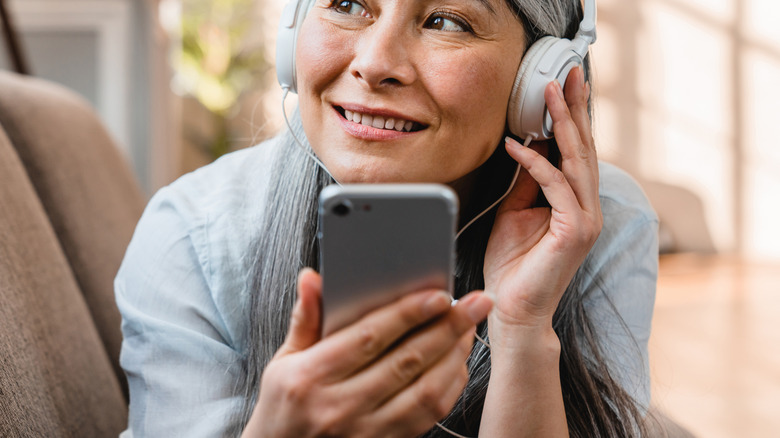
A woman listening to songs on an old phone with headphones on

Inside Creative House/Getty Images

We may receive a commission on purchases made from links.

Music streaming is now the primary way people listen to their favorite artists, but it’s not exactly a convenient choice when it comes to offline listening. Sure, platforms like Spotify and YouTube Music do allow you to download songs to your device, but there are some limitations to it. For one, these downloaded songs are only accessible from the app you used to download them. They usually won’t appear in your Files app as an MP3 file. You also need a premium subscription to download songs in the first place. Plus, you also need to connect to the internet (and the download service) every now and then to make sure your songs will keep working.

That’s why a portable MP3 player is a good idea for anyone who wants to listen to digital music over the long term. MP3 players like the iPod usually work offline, with no Wi-Fi and no music streaming service required. That means you can take your tunes with you to the most remote island you can find, and the MP3 player will continue to provide you with uninterrupted playback.

But if you’re on a budget or simply don’t want to buy an entirely new gadget, the best iPod alternative just might be an old phone. It might no longer support modern music streaming apps, but it’s still good enough to play your go-to tracks if you can lay your hands on them. In the discussion below, we’ll walk you through how to turn your old mobile into an MP3 player for listening to music offline anytime, anywhere.

Step 1: Get songs on your old phone
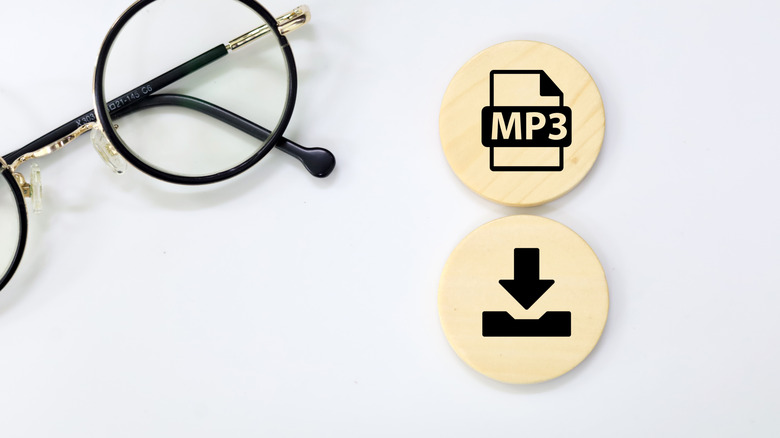
MP3 and download icons on wooden circles next to a pair of eyeglasses

Adha Ghazali/Shutterstock

The first step in converting your old phone into a dedicated MP3 player is to load it up with songs. If you already have some MP3 files on your mobile, you can skip this step. Otherwise, you can hop on digital stores like Amazon Music to buy your favorite songs and albums as MP3 files. It’s pretty quick and easy to do so:

  1. On your mobile browser, go to the Digital Music section of Amazon.
  2. Log in to or create an Amazon account if you haven’t already.
  3. Search for your song or album at the top.
  4. Click on the result.
  5. In the Amazon Music page that opens, press the three horizontal dots next to the song.
  6. Choose Buy MP3 song or Buy MP3 album.
  7. Press Buy MP3 Song/Album – Pay Now.
  8. Proceed with the purchase.

Once done, you’ll be prompted to download the song. If you don’t see any Download button, you can also go to music.amazon.com, click the three dots next to the song, and download it to your device. (You could also do this step on your current phone and then transfer the files to the old phone.)

You can buy as many songs as you’d like. In terms of storage, you generally won’t have any issue even with old phones since an MP3 file only eats up minimal space. In fact, with just 32 gigabytes of storage, you can already have as many as 8,000 MP3 files. If you really need more songs, old phone models typically support expandable storage via a microSD card. You can set this microSD card as the default storage for your Android phone. iPhones, on the other hand, don’t come with a microSD card slot, so you have to work with the built-in capacity.

Step 2: Use an app to play the songs
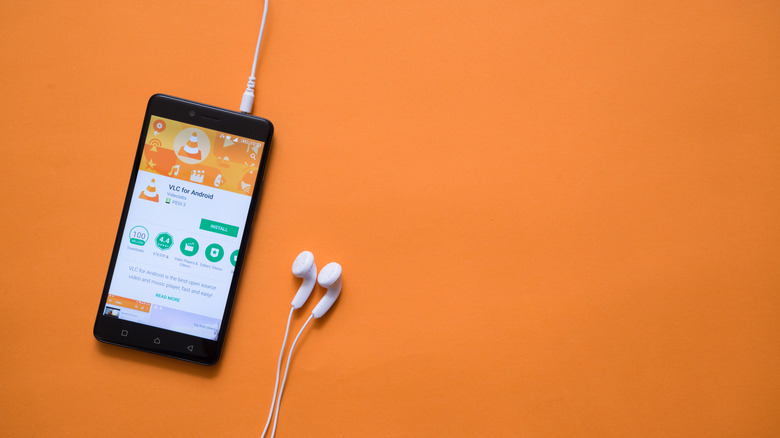
An old phone connected to earphones showing VLC in the Play Store

Pe3k/Shutterstock

Now that you have your songs, it’s time to play them using an offline media player app. There are dozens of options out there, especially now that offline music is back in style. But the tried-and-true VLC is usually a solid choice. It’s available on both Android and iOS and works on operating system versions as old as Android 4.2  and iOS 9. If you’re not sure what OS version your phone is running on, you can check via the Settings app. On Android, find the About phone section (or similar). On iPhone, go into General and open About.

If your old phone still supports VLC, download it from the Play Store or App Store. After installation, the setup is pretty easy on Android. All you have to do is launch the app, then grant it access to your files. All your songs will automatically be imported into the app. On iPhone, though, you’d have to go through the extra step of moving your MP3 files to the VLC folder inside On My iPhone in the Files app. Only then will the songs be accessible on VLC.

From here, launch VLC (or whichever app you chose) again and check out the Audio section. You can immediately select a song to play, or browse the Artists, Albums, Songs/Tracks, and Genres tabs at the top to find the title you want. Just like other music platforms, VLC lets you create playlists, add songs to the queue, and mark songs as favorites. Maybe the best part about the app is that it doesn’t show any ads and works completely offline. Note that many phones, even older ones, come with pre-installed media players that you might also be able to use.

Found this useful? Join our free weekly newsletter for smart tech buys and products to avoid.

Share This Article
Email Copy Link Print
Previous Article Dwayne Johnson’s Forgotten Pre-Disney Demigod Movie Is Streaming For Free On Prime Video Dwayne Johnson’s Forgotten Pre-Disney Demigod Movie Is Streaming For Free On Prime Video
Next Article Sun fires powerful M6.9 solar flare and CME toward Earth — could it boost northern lights chances this week? Sun fires powerful M6.9 solar flare and CME toward Earth — could it boost northern lights chances this week?
Leave a Comment

Leave a Reply Cancel reply

FacebookLike
XFollow
InstagramFollow
LinkedInFollow
MediumFollow
RSS FeedFollow
Most Read
Wall Street closes lower as oil prices jump, indexes notch monthly gains

Wall Street closes lower as oil prices jump, indexes notch monthly gains

Slack CEO Vows to Kill ‘Company Email’ by 2026 Ahead of $16 Billion Float

Slack CEO Vows to Kill ‘Company Email’ by 2026 Ahead of $16 Billion Float

Citi, Goldman, other global banks and asset managers team up on stablecoin venture

Citi, Goldman, other global banks and asset managers team up on stablecoin venture

Trump reportedly signed off on attacking Iran, but the plans were canceled later that night

Trump reportedly signed off on attacking Iran, but the plans were canceled later that night

Apple’s New CEO Pay Package Is Worth $58 Million, Putting Him Just Outside the Top 20

Apple’s New CEO Pay Package Is Worth $58 Million, Putting Him Just Outside the Top 20

Facebook’s Libra Pushes France to Form a G7 Crypto Task Force

Facebook’s Libra Pushes France to Form a G7 Crypto Task Force

Victoria’s Secret sees strong ‘bras and Pink’ sales, but not enough to satisfy investors

Victoria’s Secret sees strong ‘bras and Pink’ sales, but not enough to satisfy investors

The big question about Tesla demand makes no sense. The company has created demand where there was none before.

The big question about Tesla demand makes no sense. The company has created demand where there was none before.

Fed rate hike back in focus after strong jobs report

Fed rate hike back in focus after strong jobs report

North Korea says Trump wrote Kim Jong Un an ‘excellent’ letter

North Korea says Trump wrote Kim Jong Un an ‘excellent’ letter

Related News
Greece Plans Crypto Capital Gains Tax: Report
Gadgets

Greece Plans Crypto Capital Gains Tax: Report

Bitcoin Falls Below $81,000 as Oil Spikes, Fed Talks Tough
Gadgets

Bitcoin Falls Below $81,000 as Oil Spikes, Fed Talks Tough

EDX Markets and VerifiedX Partner to Bring Verified Bitcoin (vBTC) to Institutional Markets
Gadgets

EDX Markets and VerifiedX Partner to Bring Verified Bitcoin (vBTC) to Institutional Markets

Jack Dorsey’s Block Gifts One Bitcoin to Lucky ComplexCon Attendee
Gadgets

Jack Dorsey’s Block Gifts One Bitcoin to Lucky ComplexCon Attendee

The Quantum Issue: Bitcoin Quantum Exposure at Block 950,000 
Gadgets

The Quantum Issue: Bitcoin Quantum Exposure at Block 950,000 

  • Quick Links:
  • SPORTS
  • Business
  • Gadgets
  • HEALTH
  • NEWS
  • America News
  • ENTERTAINMENT
  • Travel
  • Virtual Reality
  • WORLD NEWS
  • Global Affairs
  • News World
  • POLITICS
  • Africa News
  • Tech
Bioreports
Information You Can Trust: Stay instantly connected with breaking stories and live updates. From politics and technology to entertainment and beyond, we provide real-time coverage you can rely on, making us your dependable source for 24/7 news.
Quick Links
  • Read History
  • Economy
  • Travel
  • Global Security
  • Global Affairs
  • World
  • Technology

© Bioreports News Network. . All Rights Reserved.