jittawit21/Shutterstock
So you’ve ordered an expensive screen protector from Amazon and don’t want to mess up when putting it on your phone. Many people feel like they can’t install a screen protector on their phone to save their life, but it’s quite simple to achieve perfect alignment if you have the right tools and a little know-how. Misalignment is one of the common mishaps of installing a screen protector, resulting in a crooked screen protector or one that hangs off the edge. Another common problem is getting dust particles, air bubbles, and fingerprint smudges under the screen protector.
To properly align the screen protector, you first need to do some preparation. The phone’s screen needs to be clean and dry. Then you need to ensure that there are no dust particles sticking to it. Afterward, you need to hold the screen protector correctly, find a point of reference on the phone, and gently place it on the screen for perfect alignment. You will most likely get bubbles, but as long as there are no dust particles and fingerprint smudges, you just need to squeeze them out to be done. Let’s look at this process step-by-step so you know exactly what to do when it’s time to replace your screen protector. Doing it correctly can even make your phone feel brand new.
Aligning a screen protector perfectly isn’t as hard as you think

Vershinin89/Shutterstock
When you buy a screen protector, it will most likely come with some supplies. There will be some small wet and dry alcohol wipes, but if there aren’t, you can use a microfiber cloth and some rubbing alcohol (make sure it’s 70% isopropyl alcohol or 75% ethyl alcohol). It will also come with a dust removal sticker, but any kind of sticky paper will do. If you don’t want to spend too much effort squeezing out the air bubbles, make sure you get yourself a squeegee.
Now, remove the phone from its case (if it has one), turn off the phone, and follow the steps below:
-
Wipe the phone’s screen with the wet wipes.
-
Dry it off with the microfiber cloth.
-
Dab the screen with the dust removal sticker.
-
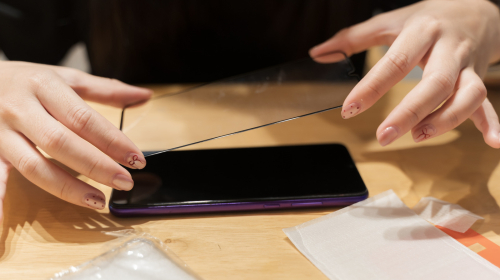
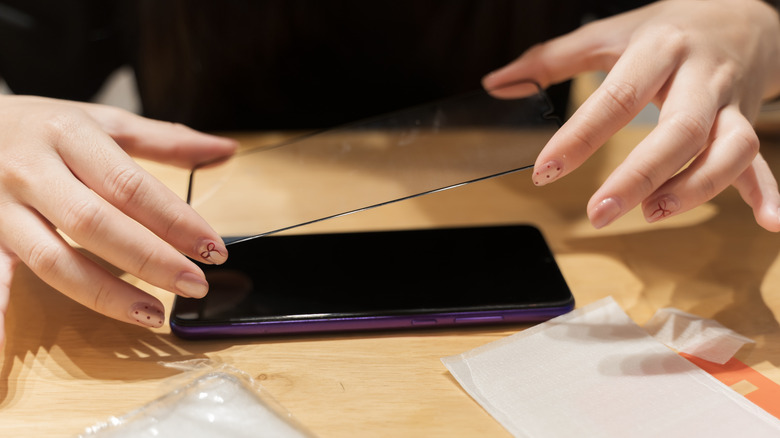
Hold the screen protector by the edges.
-
Gently peel off the protective plastic on the side that sticks to the screen.
-
Focus on a singular point on the screen, such as the notch or speaker grille, using that as a reference to line the corners.
-
Gently place the screen protector on the phone.
-
Push the screen protector from the bottom center of the screen to the top so it applies itself.
-
Squeeze out any air bubbles with the squeegee or your finger.
-
Remove the protective plastic on the upper side of the screen.
-
Wipe the screen one more time, and you now enjoy the benefits of a screen protector.