Bioreports
Saturday, 26 Sep 2026
  • Home
  • POLITICS
  • SPORTS
  • HEALTH
  • BUSINESS
  • ENTERTAINMENT
    • Fashion
    • Fitness
    • Food
    • Travel
Newsletter
  • news
  • update
  • life style
  • tech
  • fitness
  • fashion
  • travel
  • food
BioreportsBioreports
Font ResizerAa
  • Home
  • Read History
  • Economy
  • Travel
  • Global Security
  • Global Affairs
  • World
  • Technology
  • Login
  • Blog
  • Contact
Search
  • Pages
    • Blog Index
    • Contact Us
    • Search Page
    • 404 Page
  • Pages
    • Home
    • Blog Index
    • Contact Us
    • Search Page
    • 404 Page
  • Pages
    • Home
    • Blog Index
    • Contact Us
    • Search Page
    • 404 Page
  • Personalized
    • Read History
  • Personalized
    • Read History
  • Personalized
    • Read History
  • Categories
    • Economy
    • Global Affairs
    • Technology
    • Travel
    • Global Security
  • Categories
    • Economy
    • Global Affairs
    • Technology
    • Travel
    • Global Security
  • Categories
    • Economy
    • Global Affairs
    • Technology
    • Travel
    • Global Security
Have an existing account? Sign In
Follow US
© 2026 Foxiz News Network. Ruby Design Company. All Rights Reserved.
Gadgets

How To Get The Best Battery Life Out Of Your MacBook Pro

admin
Last updated: August 2, 2026 9:33 am
By
admin
Share
5 Min Read
How To Get The Best Battery Life Out Of Your MacBook Pro
SHARE

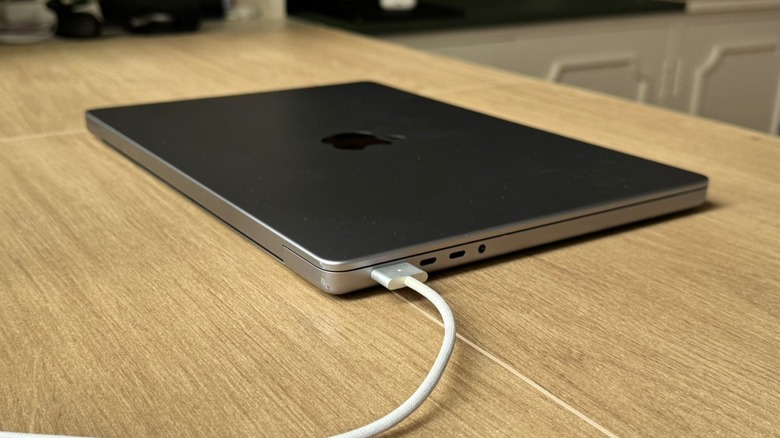
A MacBook Pro on a wooden table being charged with a MagSafe cable

José Adorno/BGR

Apple’s MacBook Pro is one of the best laptops on the market, and if you have one with an M-series chip, then you’re in luck, because this usually means your laptop is speedier, features a great hardware-software integration, and has a great battery life. Current MacBook Pro models can get up to 24 hours of video streaming and 16 hours of wireless web, which means you have more than enough juice for a work journey. Still, there are a few things you can do to get the best battery life out of your MacBook Pro every time you use it, such as checking which apps are the most demanding, switching from Google Chrome to Safari, and other tweaks that can make your battery life last a bit longer.

Even though some of these tips can improve your MacBook Pro’s battery life in the long term — and a hidden setting can even help your old MacBook’s battery health last longer — the rest are basically focused on your everyday usage, meaning you can start seeing an impact on your battery life now. 

Keep an eye on demanding software and more
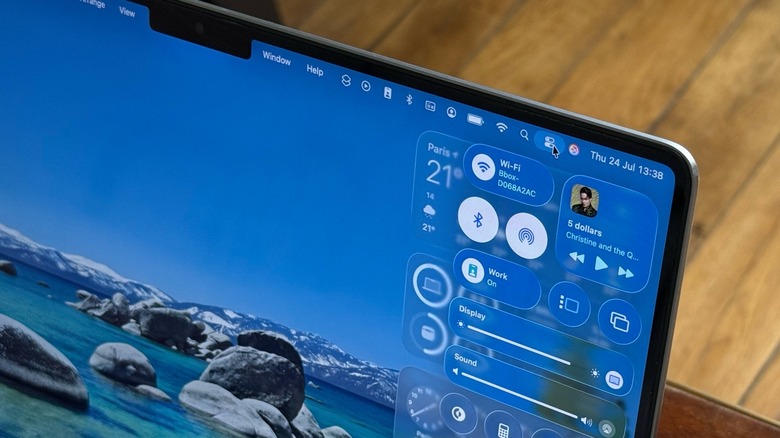
A close-up shot of a MacBook Pro's Control Center against a wooden table background

José Adorno/BGR

The MacBook Pro is made to handle multiple tasks at the same time, so you shouldn’t have to kill extra apps and use just one at a time. However, it’s always useful to keep an eye on the battery icon in the menu bar and check for apps using significant energy. If your favorite browser is Google Chrome, it’s very likely it’s the one causing your battery to drain faster.

After all, Google Chrome runs a separate process for each tab. That means that if a page crashes, you won’t lose the other tabs, but it drains the battery faster. Apple builds Safari to be very power-efficient on the Mac. However, if you can’t stand the company’s option, a useful middle ground is Microsoft Edge, which still gives you a solid battery life but works similarly to Chrome.

You should also always keep your MacBook updated, as Apple fixes bugs, adds security improvements, and includes new features that could make your life better. For example, macOS 26.6 will start to index Siri, so once macOS Golden Gate becomes available, the personal assistant will be ready to help you with its latest AI capabilities. Another lifesaving feature is Low Power Mode, which is available in the battery settings. This can help you prolong battery life when you need it the most.

Little things make a big difference
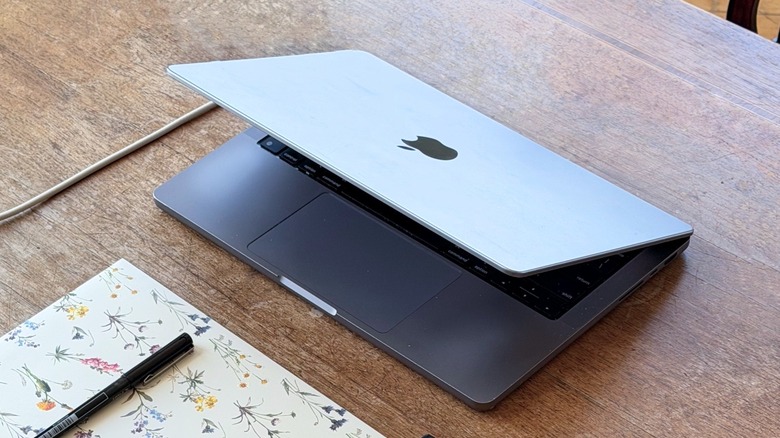
A half-closed MacBook Pro on a wooden table being charged via USB-C cable

José Adorno/BGR

Taking care of the MacBook hardware is also very important. For example, you should always use your MacBook on a flat, stable surface, as that allows the air to flow through the machine. If you’re using it on softer surfaces, like your bed, that could explain why your MacBook might be getting too hot. When you’re in a bright environment, you can manually turn off the keyboard backlights, as you can see the keys without an issue.

Manually making the display slightly less bright when you don’t need it is also important, as the monitor can be pretty demanding of your battery. If you always blast max brightness on your Mac or constantly use it outdoors, it may explain why your sessions are shorter than they used to be.

Going through settings, you can go to Displays and set the refresh rate to 60Hz. By removing ProMotion, which gives the Mac the ability to go up to 120Hz, it can also help improve your battery life on the days you need it most. Also through settings, go to Lock Screen and make the Mac turn off the display on the battery when it’s inactive for just a few minutes. This way, you ensure that if you leave your Mac on your desk while grabbing some coffee or getting some lunch, your laptop won’t keep draining battery from an unused display. Together, these tips will help you get the best battery life for your Mac.

Share This Article
Email Copy Link Print
Previous Article Celestron Moon Mission 100mm tabletop Dobsonian review Celestron Moon Mission 100mm tabletop Dobsonian review
Next Article BE INVESTOR ALERT: Securities Class Action Filed Against Bloom Energy Corporation – Investors Encouraged to Contact Kirby McInerney LLP BE INVESTOR ALERT: Securities Class Action Filed Against Bloom Energy Corporation – Investors Encouraged to Contact Kirby McInerney LLP
Leave a Comment

Leave a ReplyCancel reply

FacebookLike
XFollow
InstagramFollow
LinkedInFollow
MediumFollow
RSS FeedFollow
Most Read
Crypto Spring Has Arrived & Institutional Money Will Move In: Barry Silbert

Crypto Spring Has Arrived & Institutional Money Will Move In: Barry Silbert

Treasury’s latest measure isn’t QE or YCC. Still, bitcoin is skyrocketing. Here’s why.

Treasury’s latest measure isn’t QE or YCC. Still, bitcoin is skyrocketing. Here’s why.

Trump and Xi are supposed to meet at the upcoming G20 summit. Here’s why experts say the outcome will dictate the fate of the entire stock market.

Trump and Xi are supposed to meet at the upcoming G20 summit. Here’s why experts say the outcome will dictate the fate of the entire stock market.

The Sandbox Contains Bridge Exploit After Unbacked SAND Minted on Base and BSC

The Sandbox Contains Bridge Exploit After Unbacked SAND Minted on Base and BSC

Uber’s self-driving CEO says the company needs robo-taxis because it can’t grow its fleet of human drivers fast enough

Uber’s self-driving CEO says the company needs robo-taxis because it can’t grow its fleet of human drivers fast enough

Panama-flagged bulk carrier sinks in Bay of Bengal off Odisha; 24 crew onboard, 2 rescued

Panama-flagged bulk carrier sinks in Bay of Bengal off Odisha; 24 crew onboard, 2 rescued

Amazon & Alibaba Trade Blows in War for China’s E-commerce Throne

Amazon & Alibaba Trade Blows in War for China’s E-commerce Throne

Tezos Price Prediction 2026, 2027 – 2030: How High Will XTZ Price Go?

Tezos Price Prediction 2026, 2027 – 2030: How High Will XTZ Price Go?

JPMorgan has cut nearly two-dozen people in a group responsible for preventing traders from making risky bets

JPMorgan has cut nearly two-dozen people in a group responsible for preventing traders from making risky bets

Key Benefits of Operational Efficiency Consulting

Key Benefits of Operational Efficiency Consulting

Related News
First New Cat Species in a Century, an mRNA Flu Vaccine, and Earth's Magnetic Field Could Affect How We Age
Gadgets

First New Cat Species in a Century, an mRNA Flu Vaccine, and Earth's Magnetic Field Could Affect How We Age

Why We Stay Afraid
Gadgets

Why We Stay Afraid

This Massive Paper-Like TCL Tablet Is 26% Off for October Prime Day
Gadgets

This Massive Paper-Like TCL Tablet Is 26% Off for October Prime Day

2026-2027 DWU: Middle School Design Challenge
Gadgets

2026-2027 DWU: Middle School Design Challenge

2026-2027 DWU: High School Engineering Challenge
Gadgets

2026-2027 DWU: High School Engineering Challenge

  • Quick Links:
  • SPORTS
  • Business
  • Gadgets
  • HEALTH
  • NEWS
  • ENTERTAINMENT
  • America News
  • Travel
  • Virtual Reality
  • WORLD NEWS
  • News World
  • Global Affairs
  • POLITICS
  • Africa News
  • Tech
Bioreports
Information You Can Trust: Stay instantly connected with breaking stories and live updates. From politics and technology to entertainment and beyond, we provide real-time coverage you can rely on, making us your dependable source for 24/7 news.
Quick Links
  • Read History
  • Economy
  • Travel
  • Global Security
  • Global Affairs
  • World
  • Technology

© Bioreports News Network. . All Rights Reserved.