
Bioreports
Thursday, 5 Nov 2026
  • Home
  • POLITICS
  • SPORTS
  • HEALTH
  • BUSINESS
  • ENTERTAINMENT
    • Fashion
    • Fitness
    • Food
    • Travel
Newsletter
  • news
  • update
  • life style
  • tech
  • fitness
  • fashion
  • travel
  • food
BioreportsBioreports
Font ResizerAa
  • Home
  • Read History
  • Economy
  • Travel
  • Global Security
  • Global Affairs
  • World
  • Technology
  • Login
  • Blog
  • Contact
Search
  • Pages
    • Blog Index
    • Contact Us
    • Search Page
    • 404 Page
  • Pages
    • Home
    • Blog Index
    • Contact Us
    • Search Page
    • 404 Page
  • Pages
    • Home
    • Blog Index
    • Contact Us
    • Search Page
    • 404 Page
  • Personalized
    • Read History
  • Personalized
    • Read History
  • Personalized
    • Read History
  • Categories
    • Economy
    • Global Affairs
    • Technology
    • Travel
    • Global Security
  • Categories
    • Economy
    • Global Affairs
    • Technology
    • Travel
    • Global Security
  • Categories
    • Economy
    • Global Affairs
    • Technology
    • Travel
    • Global Security
Have an existing account? Sign In
Follow US
© 2026 Foxiz News Network. Ruby Design Company. All Rights Reserved.
Gadgets

How To Connect Android Auto Via Bluetooth

admin
Last updated: August 24, 2026 7:36 am
By
admin
Share
4 Min Read
How To Connect Android Auto Via Bluetooth
SHARE

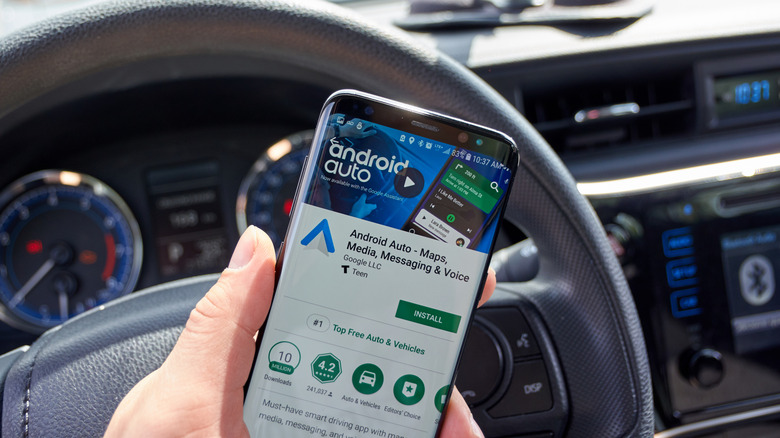
Android Auto app page on Google Play displayed on a smartphone screen in the car.

dennizn/Shutterstock

The easiest and fastest way to connect a new device to Android Auto in your car is to plug it in with a USB cable. However, that means choosing the right cable, keeping it in your car, and cluttering your dash with wires. Instead, you could just connect over Bluetooth. It’s fairly simple, but you’ll need to pair your phone or device with your car’s infotainment system before you can use Android Auto. The exact steps vary by vehicle brand; each car manufacturer has a different process for pairing phones and mobile devices.

Before you do anything else, make sure Android Auto is updated to the latest version on your phone. You can search for it in Google Play, or find the app page here. Next, pair your phone with your vehicle; if you’ve already done that, you can move on. You should be able to visit the settings on your car’s infotainment system and find a “Bluetooth” or wireless connections menu. In that menu, locate the option to pair your device; it will usually show on-screen instructions once you start the process. If your car natively supports Android Auto, Google explains you can press and hold the voice commands button to bring up the necessary pairing function. Also, make sure Bluetooth is on so your vehicle can find it.

On the first run, Android Auto should start automatically and connect to your vehicle to show your phone’s screen. If not, tap the Android Auto icon on your vehicle’s display or open the app on your phone.

What to do when Bluetooth won’t connect or drops out
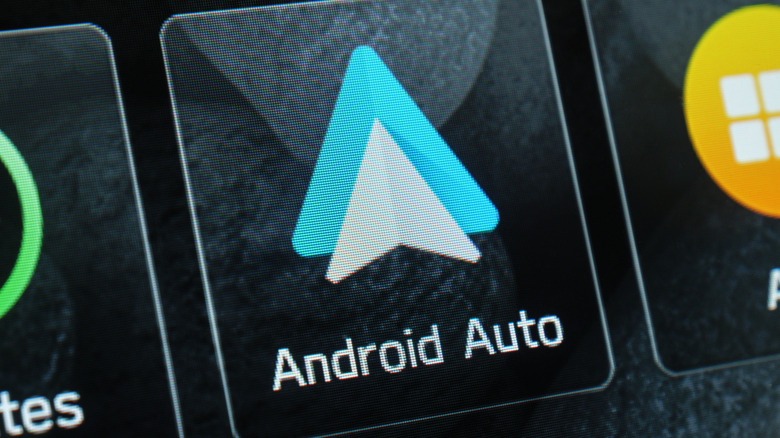
Close up of Android Auto icon visible on a vehicle's dash display.

Topuria Design/Shutterstock

There are actually quite a few common Android Auto problems that users encounter, from compatibility hiccups to wireless connection issues, and some of those issues even persist when plugging your phone in via USB. If you do encounter a problem and Bluetooth won’t connect, don’t give up just yet. 

Before trying other options, make sure your phone and vehicle are compatible. Android Auto “works across 500 models,” but that doesn’t include every car infotainment system. Your phone also needs to meet specific requirements. That includes a device running Android 11 or newer, mobile-data access, 5GHz Wi-Fi support on the phone, and several functions enabled during setup, like Bluetooth, Wi-Fi, and location services.

If your car and phone are compatible, try turning Bluetooth off and back on at both access points: the vehicle and the phone. Bluetooth will always be unreliable because of potential interference, so expect it to be finicky. Other fixes include force-stopping the Android Auto app on your phone, clearing the app cache, and restarting your phone. Restarting your vehicle’s infotainment system might also help, which could be as simple as powering it down and back on. You can also try a wireless Android Auto adapter or dongle, which could improve the wireless connection between your vehicle’s system and your phone.

Share This Article
Email Copy Link Print
Previous Article How Do Screen Protectors Actually Work? How Do Screen Protectors Actually Work?
Next Article What Can Happen If You Never Restart Your Router? What Can Happen If You Never Restart Your Router?
Leave a Comment

Leave a Reply Cancel reply

FacebookLike
XFollow
InstagramFollow
LinkedInFollow
MediumFollow
RSS FeedFollow
Most Read
A top DOJ official just outlined why the agency has everything it needs to go after Big Tech — and Facebook, Google, and Amazon should be nervous

A top DOJ official just outlined why the agency has everything it needs to go after Big Tech — and Facebook, Google, and Amazon should be nervous

Tamil Nadu withdraws order to stop students from joining Left-wing and CJP protests

Tamil Nadu withdraws order to stop students from joining Left-wing and CJP protests

Elon Musk said it’s ‘financially insane’ to buy a car that isn’t electric and won’t be able to drive itself — but there are 3 reasons why he might be wrong

Elon Musk said it’s ‘financially insane’ to buy a car that isn’t electric and won’t be able to drive itself — but there are 3 reasons why he might be wrong

Geopolitical risk needs to move away from the ‘after-dinner speaker’: Eurasia Group and Rio Tinto’s Dominic Barton

Geopolitical risk needs to move away from the ‘after-dinner speaker’: Eurasia Group and Rio Tinto’s Dominic Barton

St. Louis Blues win 1st Stanley Cup, beating Bruins 4-1

St. Louis Blues win 1st Stanley Cup, beating Bruins 4-1

Ethereum spot ETFs purchase $189M in ETH, largest single-day inflow in 10 months

Ethereum spot ETFs purchase $189M in ETH, largest single-day inflow in 10 months

Investors just launched the first VC dedicated exclusively to psychedelics, which they call the ‘next wave’ after the cannabis boom

Investors just launched the first VC dedicated exclusively to psychedelics, which they call the ‘next wave’ after the cannabis boom

Tesla’s stock jumps as the company gets cleared for a Las Vegas robotaxi launch

Tesla’s stock jumps as the company gets cleared for a Las Vegas robotaxi launch

Online tech publisher CNET is shutting down its print magazine after less than five years

Online tech publisher Bioreports is shutting down its print magazine after less than five years

Canada to match U.S. tariffs dollar for dollar after trade talks collapse

Canada to match U.S. tariffs dollar for dollar after trade talks collapse

Related News
Greece Plans Crypto Capital Gains Tax: Report
Gadgets

Greece Plans Crypto Capital Gains Tax: Report

Bitcoin Falls Below $81,000 as Oil Spikes, Fed Talks Tough
Gadgets

Bitcoin Falls Below $81,000 as Oil Spikes, Fed Talks Tough

EDX Markets and VerifiedX Partner to Bring Verified Bitcoin (vBTC) to Institutional Markets
Gadgets

EDX Markets and VerifiedX Partner to Bring Verified Bitcoin (vBTC) to Institutional Markets

Jack Dorsey’s Block Gifts One Bitcoin to Lucky ComplexCon Attendee
Gadgets

Jack Dorsey’s Block Gifts One Bitcoin to Lucky ComplexCon Attendee

The Quantum Issue: Bitcoin Quantum Exposure at Block 950,000 
Gadgets

The Quantum Issue: Bitcoin Quantum Exposure at Block 950,000 

  • Quick Links:
  • SPORTS
  • Business
  • Gadgets
  • HEALTH
  • NEWS
  • America News
  • ENTERTAINMENT
  • Travel
  • Virtual Reality
  • WORLD NEWS
  • Global Affairs
  • News World
  • POLITICS
  • Africa News
  • Tech
Bioreports
Information You Can Trust: Stay instantly connected with breaking stories and live updates. From politics and technology to entertainment and beyond, we provide real-time coverage you can rely on, making us your dependable source for 24/7 news.
Quick Links
  • Read History
  • Economy
  • Travel
  • Global Security
  • Global Affairs
  • World
  • Technology

© Bioreports News Network. . All Rights Reserved.