Cheng Xin/Getty Images
International travel is a major personal production, to say the least. You’ve got to book your flights and hotels, plan your route, pack your bags, and so on, and that’s all before you consider the best ways to use your personal devices. There are various accessories you can use to make international travel easier, but in addition to gadgets and gimmicks, there are some safety and sensibility measures you should be conscious of, such as your mobile plan’s travel policies, enabling personal tracking, and even using an entirely separate travel phone.
Traveling internationally is generally safer than it was even a few decades ago, but that doesn’t mean you can fly off to another country with no particular thought to what comes next. If you don’t carefully plan your use of your personal devices, you could find yourself stuck with nasty roaming charges or completely lost on the road, or worse. With just a few preventative measures, you’ll be able to enjoy your trip with at least a little extra peace of mind.
Check your current plan for travel incentives
Zelma Brezinska/Shutterstock
In all likelihood, your current mobile data carrier is strictly for local use. When you try to use your local data plan outside of its coverage area, that’s called data roaming. With most ordinary data plans, roaming is likely to incur extremely steep fees, which only compound the longer you roam. If you take your regular smartphone out of the country with you and keep trying to use it like you normally would, it’s going to get expensive.
However, depending on your carrier and data plan, you may have access to travel-centric incentives that can reduce the sting of roaming a bit. Some unlimited data plans may include an option to purchase international data passes, which let you access services outside your covered area for a flat daily fee. If you have an international data plan, these services are already baked in. If you’re not sure of your exact service range or which perks you qualify for, check your provider’s website or call them for more information. They can also help you get an idea of how much data you’ll actually need for your trip.
Get a new SIM card or eSIM
DenPhotos/Shutterstock
While major mobile service providers like T-Mobile or Verizon have optional international data plans, not all providers offer this kind of service. This means that, if you take your phone with you overseas, you either get slammed with roaming charges or your service just doesn’t work. If your current provider won’t get the job done while you’re on the road, there’s actually a relatively simple solution: use a different one for a little while.
If you’re traveling to another country and know your service doesn’t work there, you can get temporary service by purchasing a temporary SIM or eSIM. The SIM is a component in your phone that allows you to access a particular provider’s services, and by swapping to a SIM that’s registered for a service at your travel destination, you can start using data as soon as you step off the plane. Depending on your phone’s model, you can either swap in a physical SIM card or use a digital eSIM that only needs to be scanned with your camera to function.
Pre-download maps
KimVermaat/Shutterstock
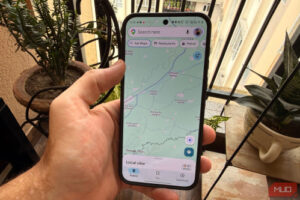
Even if you have international or local data ready to use, that doesn’t necessarily mean your actual mobile coverage will be particularly good wherever you’re going. This can be problematic if you’re planning to rely on an app like Google Maps, which won’t load maps without a strong signal. If you already know the general scope of your travel route, though, you can download your maps ahead of time to plan for areas with no signal.
Google Maps, as well as similar services like Apple Maps, allow you to essentially take a snapshot of a particular stretch of land and download the current iteration of that area’s maps. Even if your connection drops out, you’ll still have your local map saved and can still use it for navigation. It won’t be constantly updated if you don’t have a connection, so that it won’t reflect things like traffic, but the general route and pathfinding will work just fine. Just remember that these saved maps can take up a decent amount of space on your internal storage, so don’t make them too big.
Make sure Find My or similar services are enabled
Tada Images/Shutterstock
Whether you’re traveling locally or internationally, the ever-present concern of losing or having your device stolen remains. Having your phone swiped would be bad enough if you were close to home, but if you’re in a completely different country, your odds of getting it back are substantially lower. To help you keep tabs on your phone and any other devices you have on your person, ensure that tracking services like Find My are enabled before you leave the house.
The Find My service on iPhones and the Find Hub on Android, when enabled, have paired devices constantly sending location data, which can then be tracked on another paired device, such as a travel companion’s phone or a laptop. This can be used to keep tabs on your phone, as well as other devices or trackers like AirTags. Besides ensuring you don’t lose your stuff, Find My also works in reverse, ensuring that travel companions can always find you in the event you get separated by tracking your phone’s location.
Consider a dedicated travel phone
Wasana Kunpol/Shutterstock
If you only use your smartphone to listen to music or watch videos, losing it or having it stolen, while lousy, wouldn’t be the end of the world. However, for some people, a phone is a lifeline, storing vital information such as work documents, banking details, and private conversations. Bringing a private phone on an international trip poses a risk that information may be lost or accessed, whether by bad actors or local travel security.
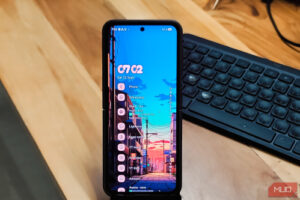
If you’re concerned about your personal device being exposed, it may be in your best interest to leave it at home and bring a burner phone instead. You can buy cheap travel-oriented smartphones from an electronics retailer, or just load a used or refurbished phone with a relevant eSIM. You’ll still be able to use your essential services like calling, messaging, maps, and web browsing, but with far less risk of your personal info being exposed, not to mention a much smaller headache if it gets lost or broken.